Editorial review recorded; verify sources before use.
Specifications describe model-level options, not the configuration of an individual Mac.
Overview
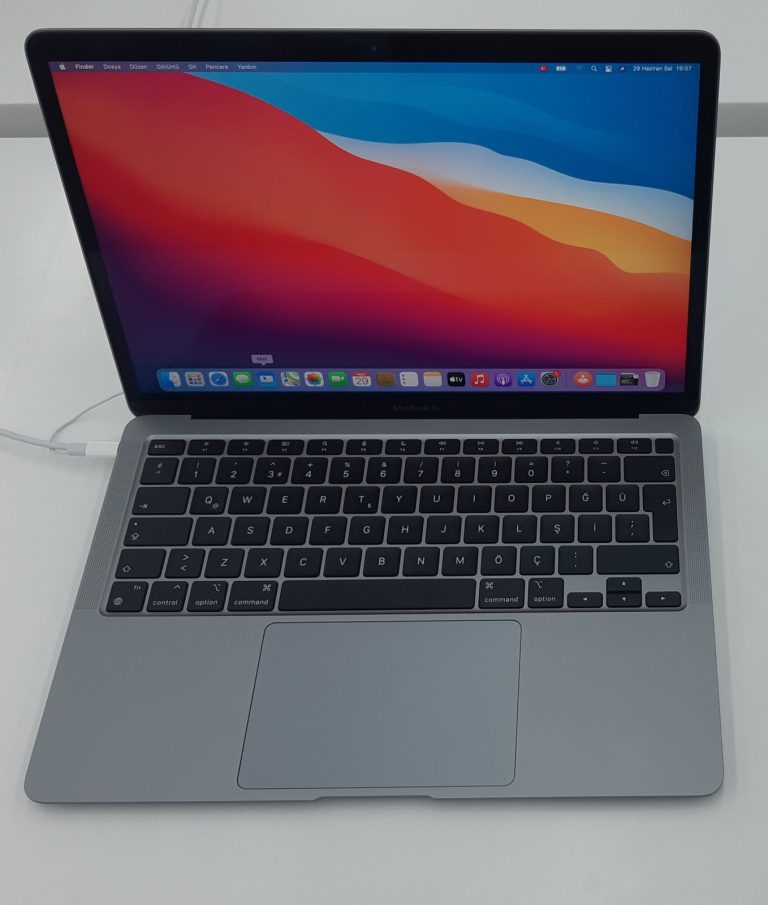
The 13-inch MacBook Air with the M3 chip arrived in 2024 as a compact, fanless Apple silicon notebook. It is aimed at people who value quiet operation, portability, and enough performance for study, office work, browser-heavy tasks, and lightweight creative projects. The M3 generation builds on the redesigned Air chassis used by its immediate predecessor rather than returning to the older wedge shape.
Do not confuse the 13-inch M3 model with the 15-inch M3 Air or with the similarly styled M2 generation. The size, internal platform, some wireless features, and the precise factory configuration matter when comparing used listings. A product name alone does not tell you how much memory or storage is installed.
Identification and configurations
Apple identifies this 2024 13-inch MacBook Air by Model Identifier Mac15,12. The physical model number is A3113, which can be checked alongside the serial number and device information. Use About This Mac for the model name and identifier; check the case markings and purchase records when the machine cannot start or when comparing replacement components.
Its eight-core M3 CPU works with either an eight-core or ten-core GPU depending on configuration. Original memory options include 8GB, 16GB, and 24GB, while factory SSD capacity varies. Apple later changed standard memory configurations during the product lifecycle, so never infer the RAM in a particular used Mac solely from its model year.
Display, ports, and external monitors
The 13.6-inch Liquid Retina display has a native resolution of 2560 by 1664, with P3 wide color, True Tone, and a brightness specification of 500 nits. There is a 1080p FaceTime HD camera above the display. MagSafe 3 handles magnetic charging; two Thunderbolt / USB 4 ports support peripherals and compatible displays, and a 3.5mm headphone jack remains available.
External monitor behavior deserves special attention: with the built-in panel active, the M3 Air supports one external display up to 6K at 60Hz. A second external display is supported with the notebook lid closed, subject to Apple’s setup conditions and display limits. Do not assume that every USB-C hub enables two independent monitors with the lid open.
Battery and performance expectations
Apple specifies a 52.6-watt-hour battery and rates this model for up to 15 hours of wireless web use or 18 hours of Apple TV app movie playback. Those numbers describe particular laboratory tests, not a guarantee for every workload. Brightness, browser tabs, background tasks, battery wear, and peripherals can materially change real-world runtime on a used unit.
The fanless cooling design keeps mechanical noise absent, making it convenient in classrooms and shared workspaces. However, prolonged demanding work can have different sustained-performance characteristics from a MacBook Pro with active cooling. Compare your actual applications, not only the generation name or the M3 badge, before choosing the Air for frequent video exports or compilation.
macOS compatibility and recovery
This generation originally shipped with macOS Sonoma. Apple’s compatibility information checked on November 4, 2026 lists the 2024 M3 MacBook Air as eligible for macOS 27 Golden Gate. Eligibility says that the system can be installed; it does not mean that every legacy app, professional driver, printer extension, or specialized accessory will behave identically after upgrading.
Before changing macOS, confirm available storage, maintain a current backup, and check the vendor requirements for software you depend on. Firmware restoration is a separate, model-specific procedure: record Mac15,12 and verify the correct 4macos firmware catalog entry before using recovery files or tools.
Repairability and buying advice
Unified memory is integrated with the Apple silicon platform, and the factory SSD is not a conventional removable upgrade for the owner. Choose the memory and storage configuration you actually need. If purchasing a secondhand unit, test the display, charging through MagSafe and USB-C, keyboard, trackpad, speakers, camera, and wireless connectivity.
Check battery health and confirm that Activation Lock and any organization management restrictions have been cleared by the legitimate owner. Repairs require model-specific procedures and compatible parts; parts from visually similar M2 or 15-inch machines should not be assumed interchangeable. For a buying decision, prioritize verified condition and configuration over cosmetic color or headline processor branding.
Specifications
| Family | MacBook Air |
|---|---|
| Model year | 2024 |
| Model Identifier | Mac15,12 |
| Model number (A-number) | A3113 |
| Processor / chip | Apple M3 |
| Architecture | Apple silicon |
| CPU | 8-core CPU (4 performance and 4 efficiency cores); 16-core Neural Engine |
| GPU | 8-core GPU or 10-core GPU depending on factory configuration; hardware-accelerated ray tracing |
| Memory | 8GB, 16GB, or 24GB unified memory depending on original configuration and sales period; not upgradeable by installing RAM |
| Storage | 256GB, 512GB, 1TB, or 2TB factory SSD configurations; verify individual device |
| Built-in display | 13.6-inch Liquid Retina IPS, 2560 × 1664, 500 nits, P3 wide color, True Tone |
| Ports | MagSafe 3 charging port, two Thunderbolt / USB 4 (USB-C) ports, 3.5mm headphone jack |
| Wireless | Wi-Fi 6E; Bluetooth 5.3 |
| Battery | 52.6Wh lithium-polymer battery; up to 15 hours wireless web or 18 hours Apple TV app movie playback (Apple laboratory ratings) |
| Camera | 1080p FaceTime HD camera |
| External display support | One external display up to 6K/60Hz with built-in display active; second external display up to 5K/60Hz with lid closed, subject to Apple setup requirements |
| Original macOS | macOS Sonoma |
| Latest officially compatible macOS | macOS 27 Golden Gate |
| Repair and upgrade notes | Fanless Apple silicon notebook. Memory and factory SSD are not standard user-replaceable upgrades. Inspect battery, screen, keyboard, ports and Activation Lock on used units; follow model-specific repair procedures. |
Sources and verification
Editorially reviewed · Last checked 2026-11-08
For firmware and recovery information, consult the 4macos firmware catalog and confirm the exact Model Identifier before restoring. Software compatibility and signing can change.