
Editorial review recorded; verify sources before use.
Specifications describe model-level options, not the configuration of an individual Mac.
Overview
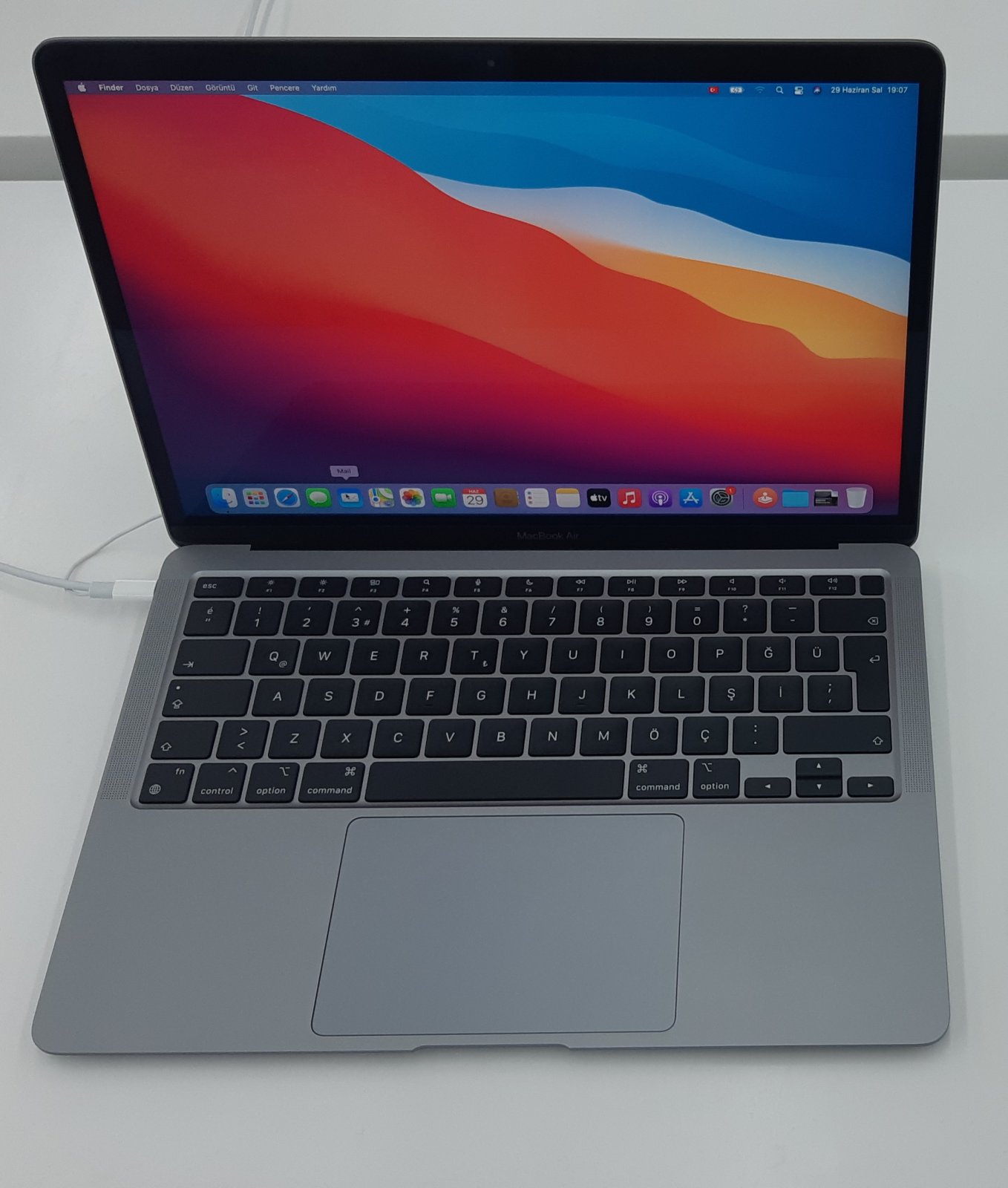
The MacBook Air (M1, 2020) is the first Apple silicon generation of Apple’s popular thin-and-light notebook. Its M1 chip combines an eight-core CPU with a seven- or eight-core GPU, depending on configuration. Unlike the Intel-based Air models sold earlier in 2020, this Mac uses a fanless design. For buyers, the model distinction matters: the two 2020 Air generations have different processors, operating-system support, and service considerations.
Identification and configurations
Look for the model name in About This Mac and confirm the Model Identifier MacBookAir10,1. The chassis model number is A2337. Neither the year nor the A-number tells you the installed memory and SSD capacity, so examine the actual machine before comparing prices. Apple offered an M1 CPU with eight cores, GPU options with seven or eight cores, 8GB or 16GB unified memory, and several factory SSD capacities.
Screen, ports, and external monitors
The built-in 13.3-inch Retina display has a 2560-by-1600 resolution, P3 wide color, True Tone, and 400-nit rated brightness. The notebook has two Thunderbolt / USB 4 ports and a 3.5mm headphone jack. Both USB-C-shaped ports can be used for compatible charging and peripherals. If you rely on several accessories, factor in the need for a suitable dock or adapter.
Apple’s native display specification allows one external display up to 6K at 60Hz in addition to the built-in screen. Do not assume that a conventional USB-C dock will enable two independent external monitors: the native monitor limit remains important. Third-party DisplayLink solutions are a separate consideration and should not be confused with native support.
Battery life and practical performance
Apple rated this model for up to 15 hours of wireless web browsing and up to 18 hours of Apple TV app movie playback when new. Those are laboratory ratings, not guarantees for a used laptop. Battery wear, display brightness, apps, and background work can significantly change results. The fanless cooling design avoids fan noise but is worth considering when choosing a laptop for continuous heavy workloads.
macOS and software compatibility
This Mac shipped with macOS Big Sur and, according to Apple’s current compatibility information, supports macOS 27 Golden Gate. That establishes operating-system eligibility, not a guarantee that every application, extension, or accessory supports the newest release. Check mission-critical software and maintain a verified backup before upgrading. Use 4macos firmware and recovery references only after confirming the exact Mac identifier.
Repairability and buying checklist
Unified memory is integrated and cannot be upgraded by installing a conventional RAM module. Verify the exact memory and SSD configuration before purchase. For a used unit, check battery condition, keyboard and trackpad operation, display uniformity, charging on both ports, wireless connectivity, and whether the device is tied to someone else’s Apple Account or management organization. A repair shop should use model-specific service information rather than assume that parts from an Intel MacBook Air interchange.
Who is this Mac for?
The M1 Air remains a compact choice for browsing, writing, study, and many everyday workflows, provided the actual memory and storage configuration suits the job. People who regularly need several native external displays, more built-in ports, or sustained high-power processing should compare its limitations against newer MacBook Pro or desktop models. Compare specifications first; actual application performance depends on the workload.
Specifications
| Family | MacBook Air |
|---|---|
| Model year | 2020 |
| Model Identifier | MacBookAir10,1 |
| Model number (A-number) | A2337 |
| Processor / chip | Apple M1 |
| Architecture | Apple silicon |
| CPU | 8-core CPU (4 performance + 4 efficiency cores); 16-core Neural Engine |
| GPU | 7-core or 8-core GPU, depending on factory configuration |
| Memory | 8GB or 16GB unified memory, factory-configured; not a user-installable RAM upgrade |
| Storage | Factory SSD configurations vary; commonly 256GB, 512GB, 1TB, or 2TB. Verify the exact device. |
| Built-in display | 13.3-inch Retina IPS display, 2560 × 1600; 400 nits, P3 wide color, True Tone |
| Ports | Two Thunderbolt / USB 4 ports for charging, data and display output; 3.5mm headphone jack |
| Wireless | Wi-Fi 6; Bluetooth 5.0 |
| Battery | 49.9Wh battery; Apple rated up to 15 hours wireless web or 18 hours Apple TV app movie playback |
| Camera | 720p FaceTime HD camera |
| External display support | Built-in screen plus one external display up to 6K at 60Hz (native Apple support) |
| Original macOS | macOS Big Sur |
| Latest officially compatible macOS | macOS 27 Golden Gate |
| Repair and upgrade notes | Fanless design. Unified memory is not a user-replaceable RAM module. Check SSD capacity, battery condition, screen, ports and Activation Lock before buying. Hardware repairs require model-specific procedures. |
Sources and verification
Editorially reviewed · Last checked 2026-11-08
For firmware and recovery information, consult the 4macos firmware catalog and confirm the exact Model Identifier before restoring. Software compatibility and signing can change.