Editorial review recorded; verify sources before use.
Specifications describe model-level options, not the configuration of an individual Mac.
Overview
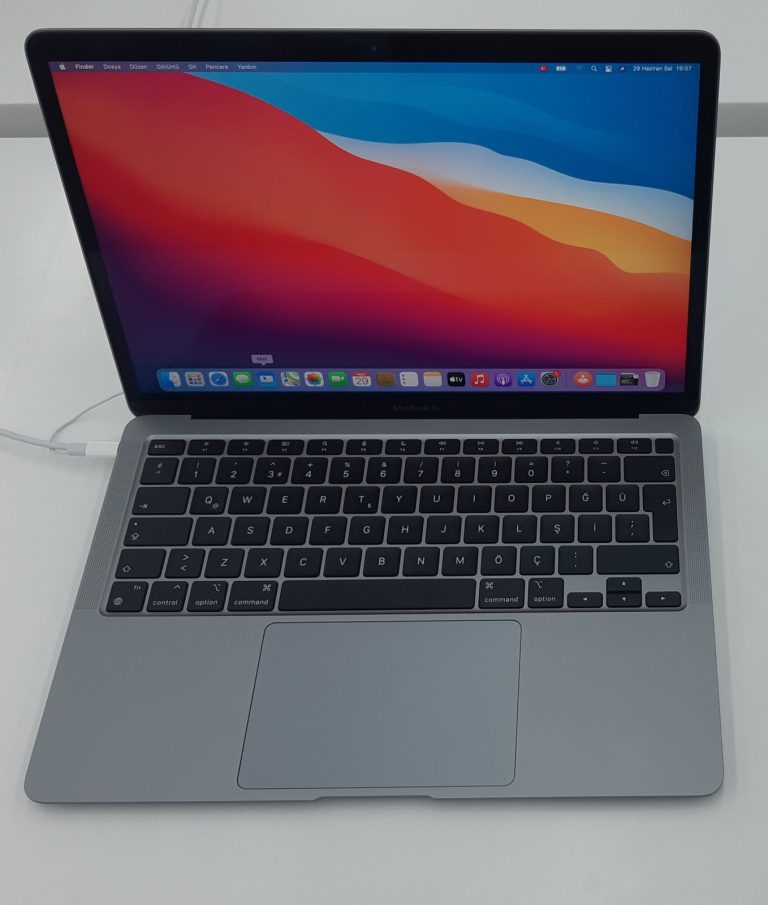
The 13.6-inch MacBook Air with M2 was introduced in 2022. It replaced the earlier wedge-shaped Air design with a flatter enclosure and added a larger Liquid Retina display while retaining the quiet, fanless approach. It remains a useful point of comparison between the M1 Air and later M3 or M4 generations. When buying used, identify the machine precisely rather than assuming that every “MacBook Air 2022” has the same memory or graphics configuration.
This model uses Model Identifier Mac14,2. Check About This Mac, installed memory, SSD capacity, and the actual hardware condition. The name of the chip confirms the generation but not whether the computer has the eight-core or optional ten-core GPU.
Chip and factory configurations
The Apple M2 has an eight-core CPU made up of four performance and four efficiency cores, a 16-core Neural Engine, and either an eight-core or ten-core GPU depending on the factory option. Its hardware media engine handles supported H.264, HEVC, and ProRes workloads. Actual performance depends on the application and file format, so benchmark claims from a higher-memory or higher-GPU example do not automatically describe a basic configuration.
Unified memory was offered in 8GB, 16GB, and 24GB configurations over the product’s sales life, while SSD options included 256GB, 512GB, 1TB, and 2TB. These are factory configurations rather than standard user-installable upgrades. Look up the installed values before paying for a secondhand unit, and consider whether a small SSD will have enough room for current applications and a safe amount of free space.
Screen, keyboard, and connectivity
The Liquid Retina display measures 13.6 inches and has a native resolution of 2560 by 1664. Apple specifies P3 wide color, True Tone, and 500-nit brightness. There is a 1080p FaceTime HD camera above the screen, and the machine offers Touch ID on the keyboard. Inspect the display for pressure marks, uneven illumination, and damage to the camera area, particularly on heavily used examples.
MagSafe 3 provides a dedicated charging connector while two Thunderbolt / USB 4 ports serve compatible external storage, displays, and other peripherals. A headphone jack is also present. Apple specifies one native external display up to 6K at 60Hz in addition to the built-in panel. Do not rely on a hub’s advertised number of display connectors as proof that the Mac natively supports multiple independent external displays.
Battery life and software support
The internal battery is rated at 52.6 watt-hours. Apple’s original laboratory figures reach up to 15 hours of wireless web use or 18 hours of Apple TV app video playback. Those numbers describe controlled conditions when new; actual endurance on a used machine depends on charge cycles, battery condition, screen brightness, running processes, and peripherals.
Apple’s Mac identification list gives macOS 27 Golden Gate as the newest compatible macOS for Mac14,2. Compatibility does not confirm that every older application, virtualization workflow, or third-party driver is ready. Make a tested backup and verify important software before a major OS upgrade. This Mac cannot be handled as if it were an Intel notebook when selecting firmware, recovery instructions, or accessories.
What to check before buying
Test MagSafe and both USB-C ports, the trackpad, keyboard, Touch ID, camera, speakers, microphone, wireless connections, and battery health. Confirm the seller has removed Activation Lock and any organizational enrollment that could prevent normal setup after erasure. For service, identify the machine as Mac14,2 and follow the correct Apple silicon recovery and repair information.
The fanless design is valuable in quiet environments, but a 13-inch Air is not automatically the best fit for sustained demanding workloads or users who require several native external monitors. Compare the memory tier, internal storage, and actual application requirements against a MacBook Pro instead of choosing by chip generation alone.
Specifications
| Family | MacBook Air |
|---|---|
| Model year | 2022 |
| Model Identifier | Mac14,2 |
| Model number (A-number) | Not verified |
| Processor / chip | Apple M2 |
| Architecture | Apple silicon |
| CPU | 8-core CPU (4 performance and 4 efficiency cores); 16-core Neural Engine |
| GPU | 8-core GPU or optional 10-core GPU |
| Memory | 8GB unified memory; 16GB or 24GB factory-configurable |
| Storage | 256GB SSD; configurable to 512GB, 1TB, or 2TB |
| Built-in display | 13.6-inch Liquid Retina, 2560 × 1664, 500 nits, P3 wide color, True Tone |
| Ports | MagSafe 3, two Thunderbolt / USB 4 ports (up to 40 Gb/s), 3.5mm headphone jack |
| Wireless | Wi-Fi 6 (802.11ax); Bluetooth 5.0 |
| Battery | 52.6Wh built-in battery; Apple rates up to 15 hours wireless web and 18 hours video playback |
| Camera | 1080p FaceTime HD camera |
| External display support | One external display up to 6K at 60Hz, alongside the built-in display |
| Original macOS | macOS Monterey |
| Latest officially compatible macOS | Not verified |
| Repair and upgrade notes | Not verified |
Sources and verification
Editorially reviewed · Last checked 2026-11-08
For firmware and recovery information, consult the 4macos firmware catalog and confirm the exact Model Identifier before restoring. Software compatibility and signing can change.