How to check mac hardware information in terminal

Illustration for How to check mac hardware information in terminal

You can check many details about your Mac’s hardware directly in Terminal, including the model identifier, serial number, chip, memory, storage devices, displays, batteries, and connected USB or Thunderbolt devices. Terminal is especially useful when you need information in a copyable text format or want to inspect a specific hardware category. Quick Answer Open Terminal … Read more

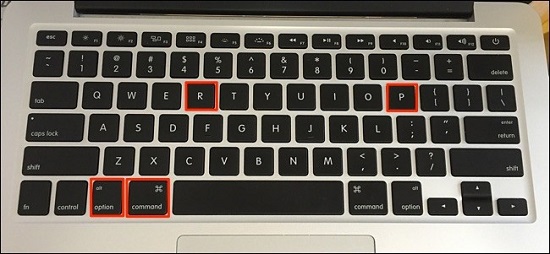
πŸ‘‰ [Instructions] What is NVRAM and why is it necessary to reset it in Macbook, iMac, Mac mini?

Energy-dependent memory or NVRAM (Non Volatile Random Access Memory) is a type of memory device with random access that can store data in the absence of electrical power. For example, the settings of the first sound signal, which occur when the computer is booted, or the statistical data of the connected charger to the laptop … Read more