Starting with macOS Sonoma, Apple changed the way users receive beta updates. Instead of installing the macOS Beta Access Utility, users can directly install beta updates from System Preferences after registering as a developer.

If your Mac is not detecting a monitor, check the connection first, then use System Settings to look for the display manually. Confirm that the cable, adapter, dock, and monitor input are correct. If the screen still does not appear, disconnect accessories, restart the Mac, adjust display settings, and test in Safe Mode. Quick Answer … Read more
You can check your MacBook’s battery health and cycle count from System Settings or System Information. For a quick overview, open System Settings > Battery and review Battery Health. To see the exact cycle count, hold the Option key, click the Apple menu, choose System Information, and select Power in the sidebar. These details help … Read more
You can create a bootable macOS installer drive with a USB flash drive and Apple’s built-in createinstallmedia command. Download the macOS installer from Apple, erase and format a compatible USB drive in Disk Utility, then run the command for that installer in Terminal. A bootable installer can help you install macOS on a compatible Mac, … Read more
Quick Answer To manage Mac login items and apps that run in the background, open Apple menu > System Settings > General > Login Items & Extensions. Under Open at Login, select an app and click the – button to stop it from opening automatically. Under Allow in the Background, use the switches to control … Read more
Starting with macOS Sonoma, Apple changed the way users receive beta updates. Instead of installing the macOS Beta Access Utility, users can directly install beta updates from System Preferences after registering as a developer.
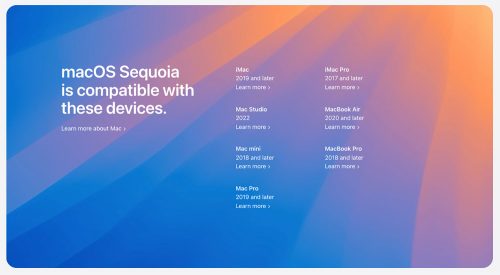
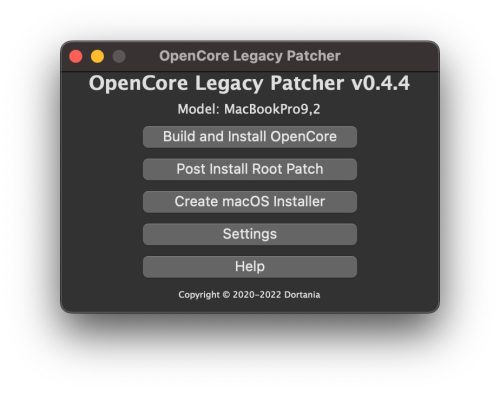 Unsupported Mac Models That Can Run MacOS Ventura with OpenCore.OpenCore Legacy Patcher will allow you to run MacOS Ventura on some Macs going all the way back to 2008 and 2007. The full list of officially unsupported Macs that can run Ventura with OpenCore is as follows:
Apple Configurator 2 is a free tool for Mac OSX that is used by enterprises to deploy iPad, iPhone, iPod Touch and Apple TV devices using a physical USB connection. With the help of Apple Configurator 2, the controlled mode can be easily enabled on corporate iOS devices. With Apple Configurator 2, administrators can configure … Read more
Connect the USB flash drive directly to your Mac. Open Terminal, which is located in the Utilities subfolder of the Applications folder. Type or paste one of the following commands The installer must be located in the Applications folder. MyVolume is the name of the USB flash drive. If the name is different, rename it … Read more
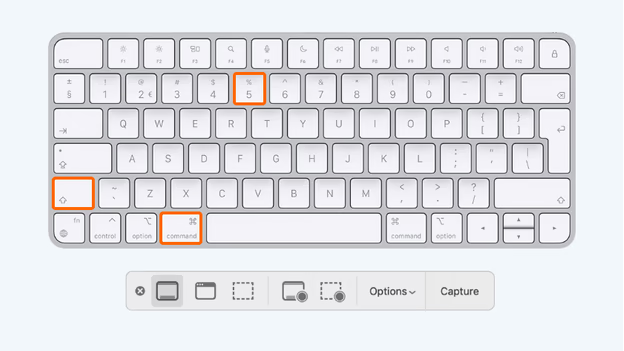
If you need to show something on the computer, it is best to do it with the help of a screenshot. In macOS, a key combination is provided for ego creation. Moreover, you can hide both the entire screen and the area selected on it. How to create a screenshot on Apple Macbook, Mac Mini, … Read more